Acquia · 2020
Unified marketing cloud
One campaign, every segment, every channel
Acquia acquired two companies and wanted to merge three products, web personalization, email marketing and a customer data platform, into one marketing cloud. I led the design of the campaign builder at the center of it: a visual journey map where a marketer builds one campaign that reaches every segment on every channel.
Project overview
Acquia had bought two companies, and the business wanted their three products to become one marketing cloud: web personalization, email marketing, and a customer data platform. Each had grown up with its own idea of what a campaign was. I was the lead designer on the campaign work from start to finish, over ten months in 2020, with three junior designers and a researcher.
The year did not cooperate. The pandemic began a few weeks in, one of the main product managers left, then the VP of product left and a new one arrived, and there was no program manager. With that seat empty, scoping and sequencing the work became part of my job.
- Phase 1 · Feb – Jun 2020CampaignResearch, user stories, scoping, ideation, wireframes.
- Phase 2 · Jul – Sep 2020CampaignUsability testing and the high-fidelity design of the phase 1 wireframes.
- Phase 3 · Oct – Dec 2020AnalyticsResearch and design of analytics inside the builder.
Problem
A campaign could only use one segment and one channel, so three segments and two channels meant six campaigns, and none of them could be reused. Marketers were rebuilding the same thing by hand.
Solution
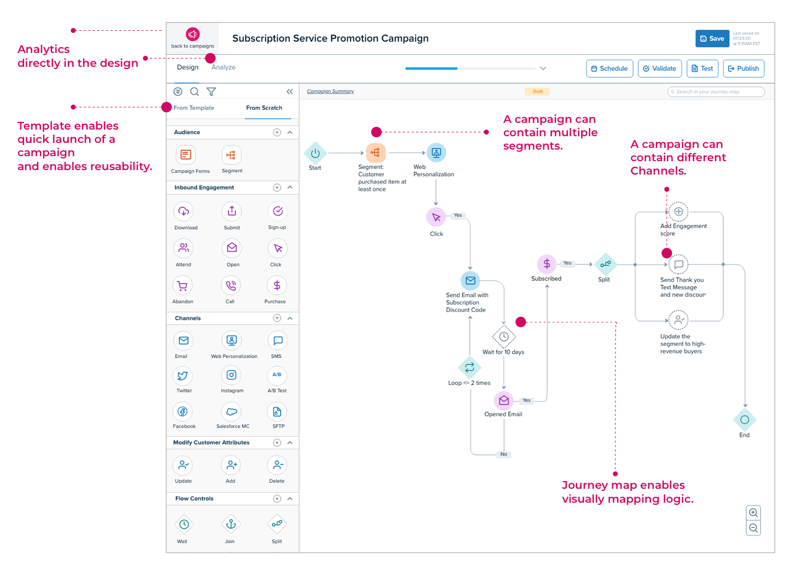
One campaign, built as a journey map. Segments, channels and decisions are nodes on a canvas, so a marketer draws the whole journey once and the suite runs it across every channel. Templates let the next campaign start from the last one.
The design process
- Research
- Define
- Ideate
- Test
- Iterate
Research
Where the evidence came from
I started with what the company already had: past user interviews, the internal teams who talked to customers every day, old product documents, and a competitive analysis of the campaign tools our customers were comparing us against.
Mapping the system
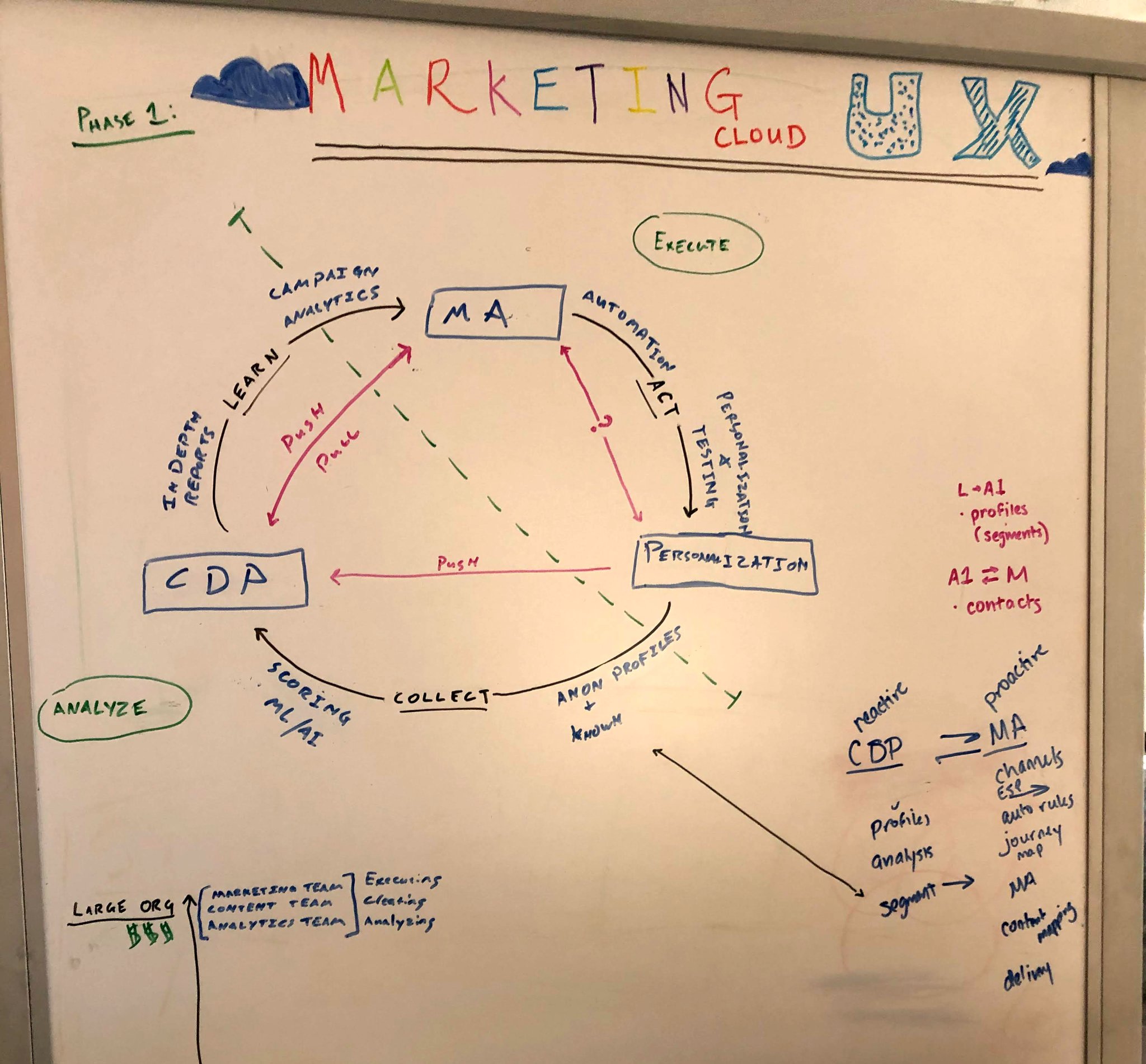
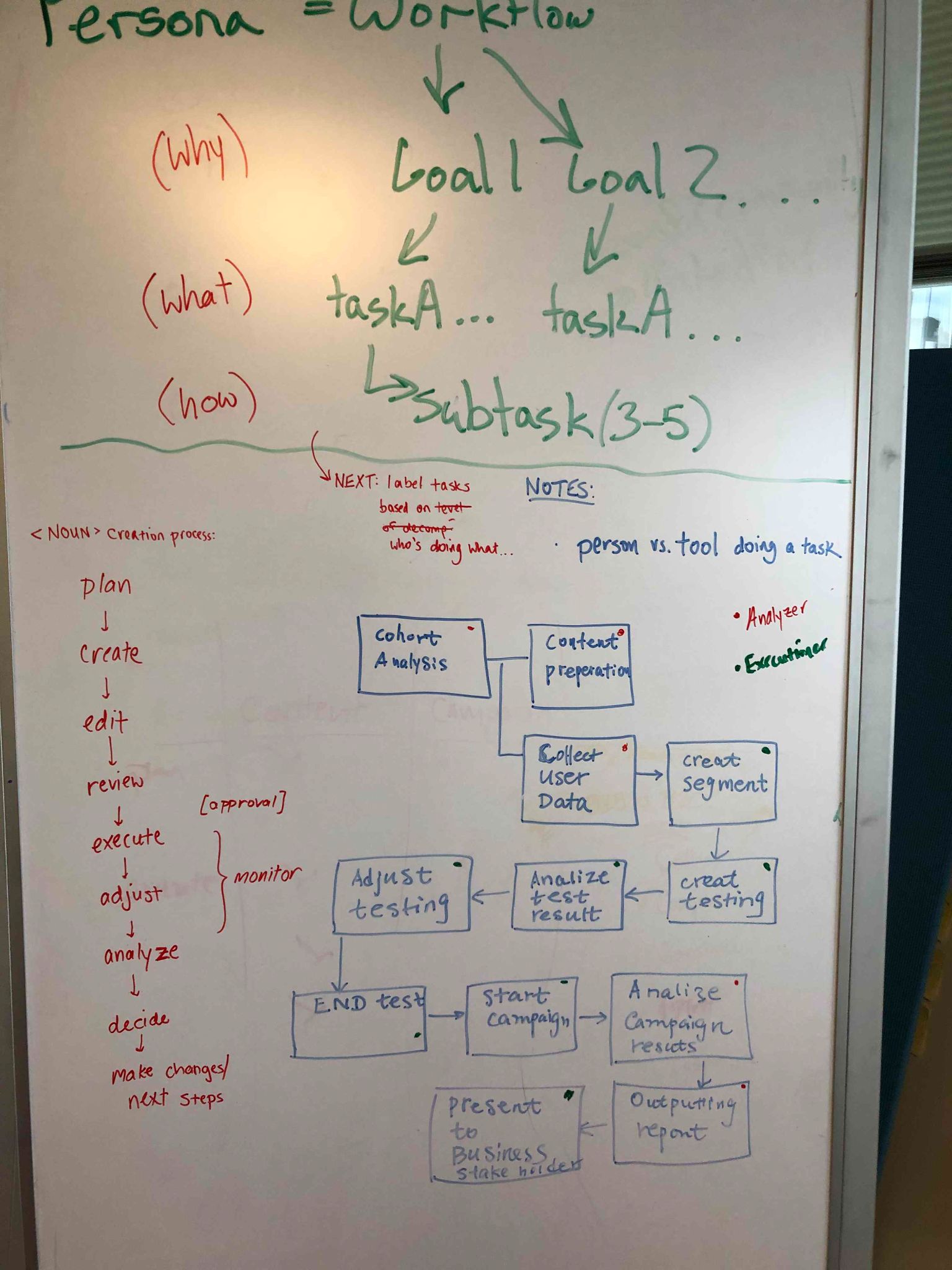
Two whiteboards from the first weeks. One maps the three products as a loop: the customer data platform collects and scores, personalization acts, marketing automation executes, and campaign analytics feed back into what the marketer learns. The other turns the personas into workflows: a goal, its tasks, three to five subtasks each, and the process every campaign goes through, from plan to decide.
Who it was for
Three personas: the campaigner who builds and sends, the analyzer who reads the results, and the data scientist or ML engineer who builds the models behind them. Customers spanned twelve industries, from consumer packaged goods and retail to government, health care and life sciences, so the builder could not assume one kind of campaign.
- Consumer packaged goods
- Education
- Financial services
- Government
- Health care
- High tech
- Life sciences
- Manufacturing
- Entertainment and media
- Non-governmental organizations
- Retail
- Travel
Every task, in one inventory
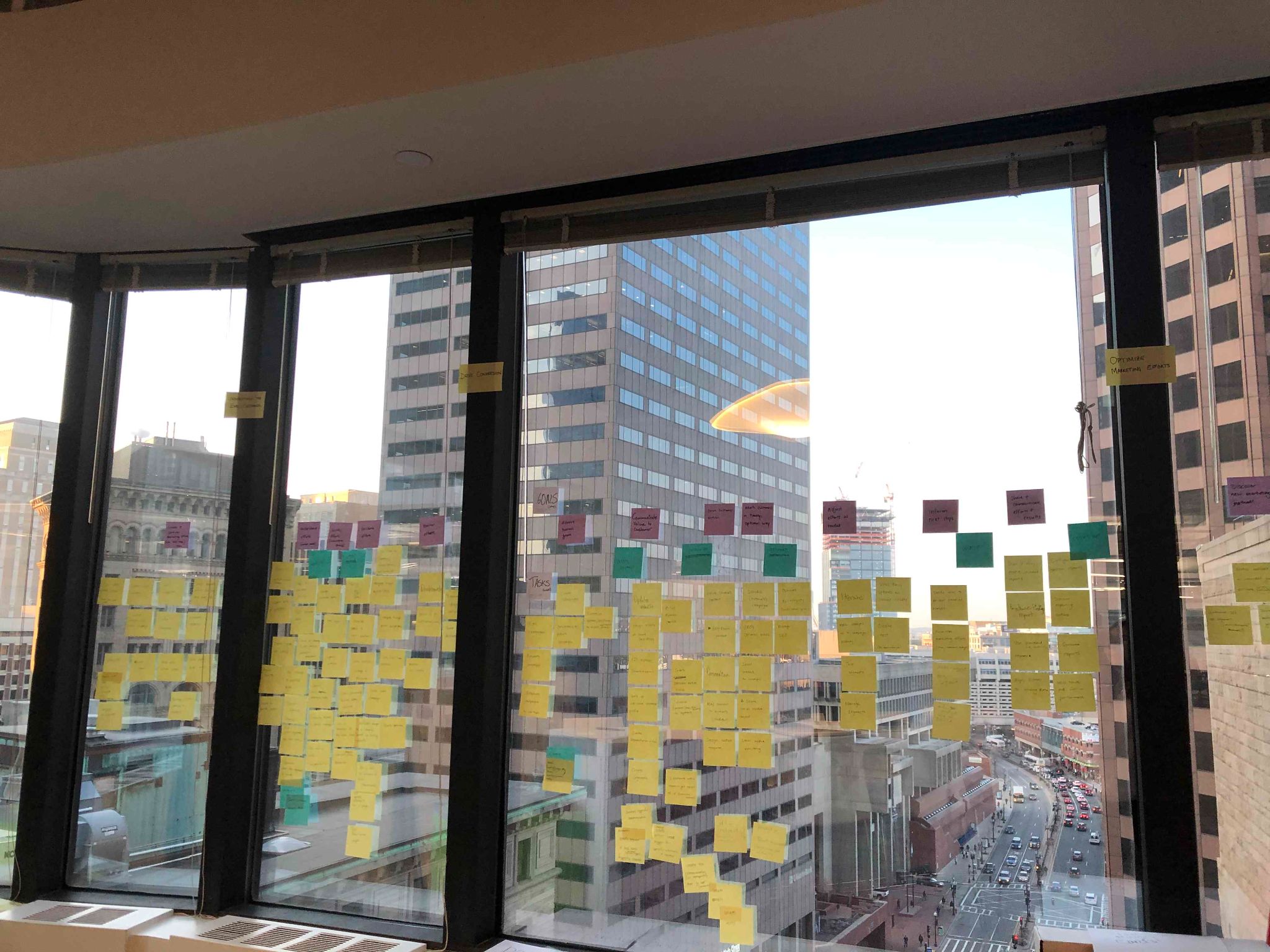
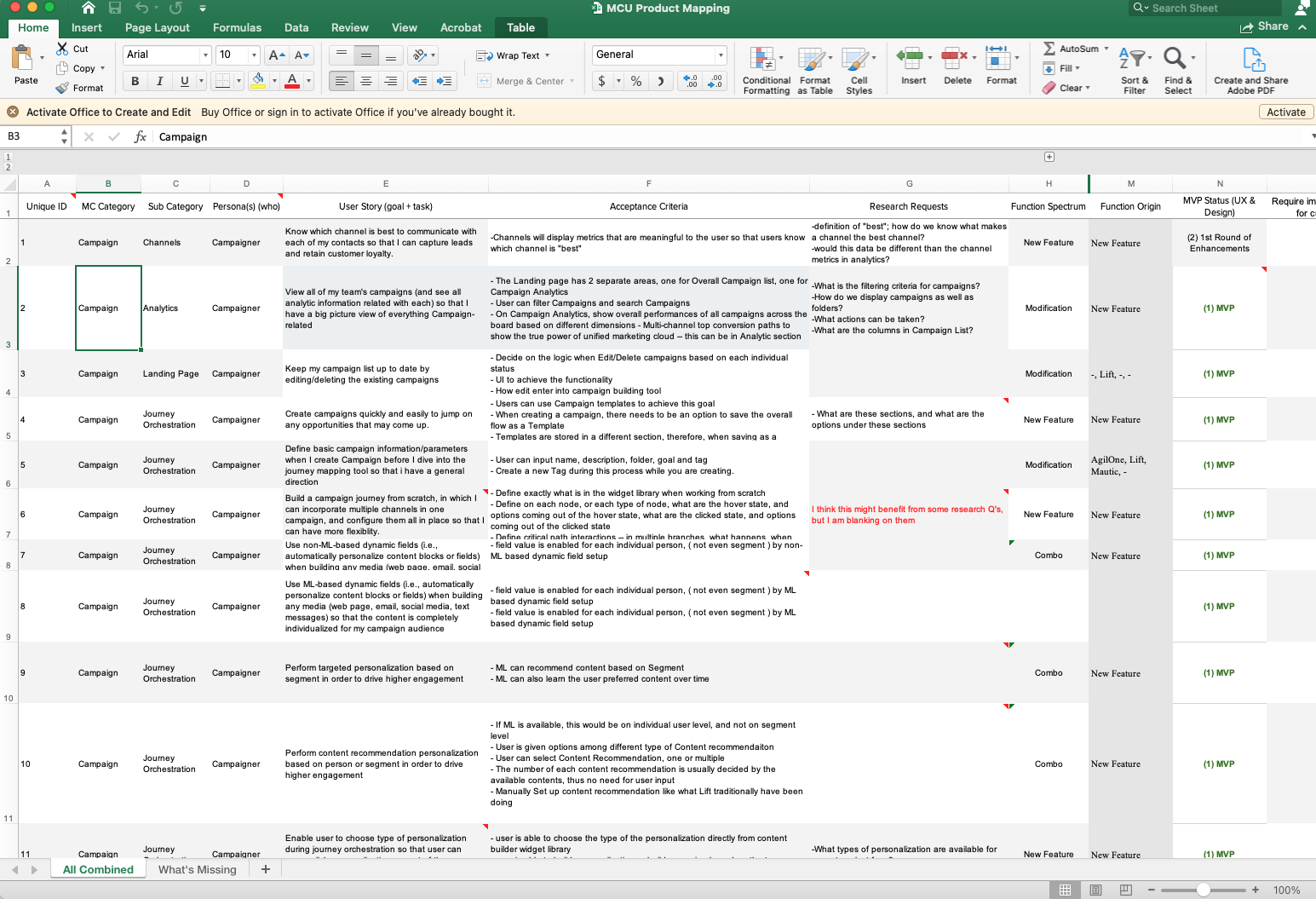
Before any sketching, I inventoried every user task and user story across the three products into one map, so the team could see the whole job rather than one product’s slice of it.
Three pain points
Everything the research turned up came back to three things a campaigner could not do.
Define
Problem statement
As a campaigner, I’d like to run omni-channel campaigns for my business. One of many, but the one everything else hung on.
A campaigner is a designer
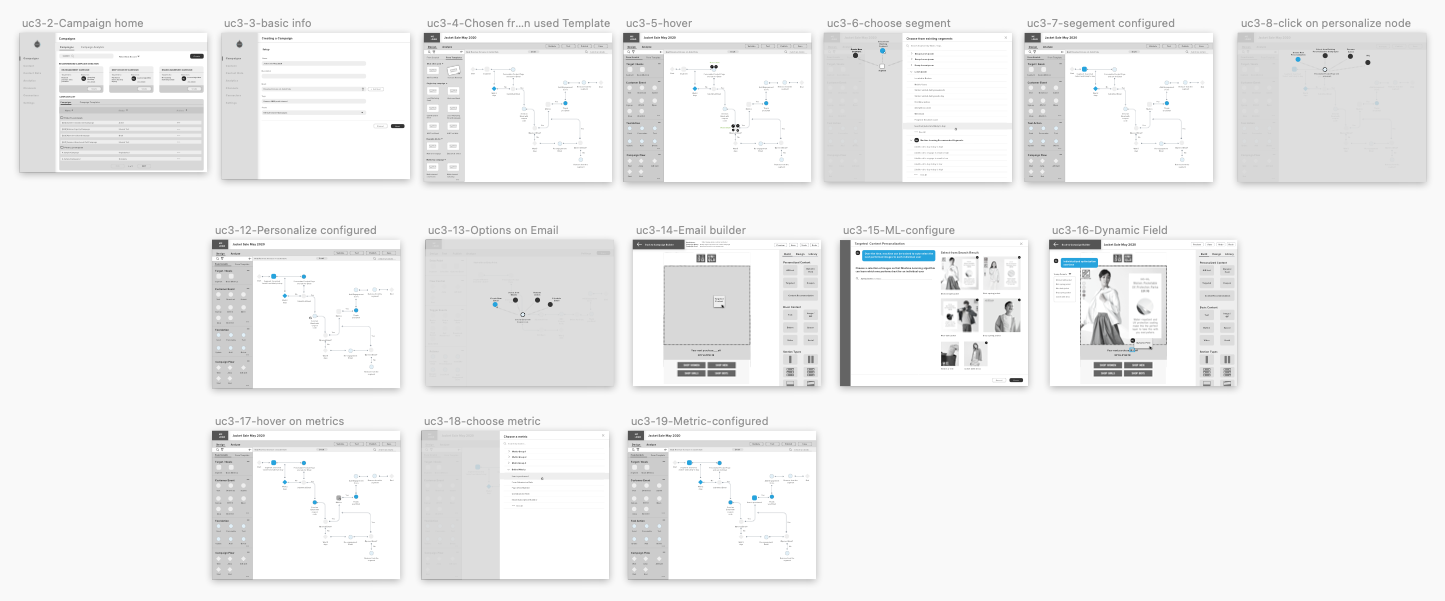
This was the idea that set the direction. A marketer planning a campaign is composing: who gets what, on which channel, after which event. So instead of a form that asks for a segment and a channel, the builder became a canvas, a journey map the campaigner draws node by node.
Ideate
Competitive analysis
Gartner’s January 2020 quadrant for digital experience platforms put Acquia among the leaders beside Adobe and Sitecore, with Salesforce the strongest challenger. So I went deep on Salesforce Marketing Cloud’s Journey Builder, down to how it handles goals: optional, one per journey, measured as a number or a percentage, and able to pull a contact out of the journey once it is met.
Workshop
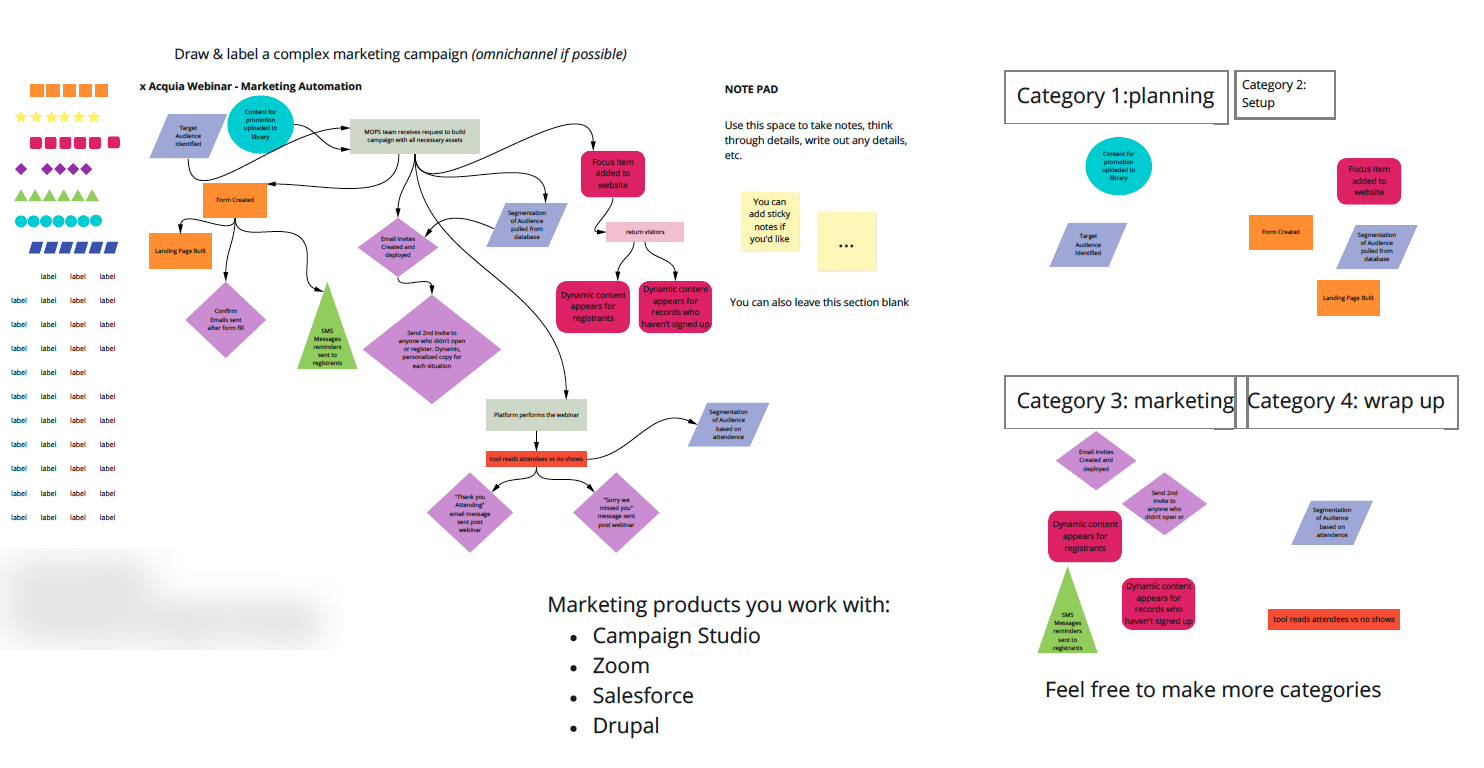
A remote workshop with campaign managers. Each drew and labeled a complex campaign of their own, omnichannel if possible, then sorted its steps into planning, setup, marketing and wrap-up, so we could see where the products got in the way of the work as they actually did it.
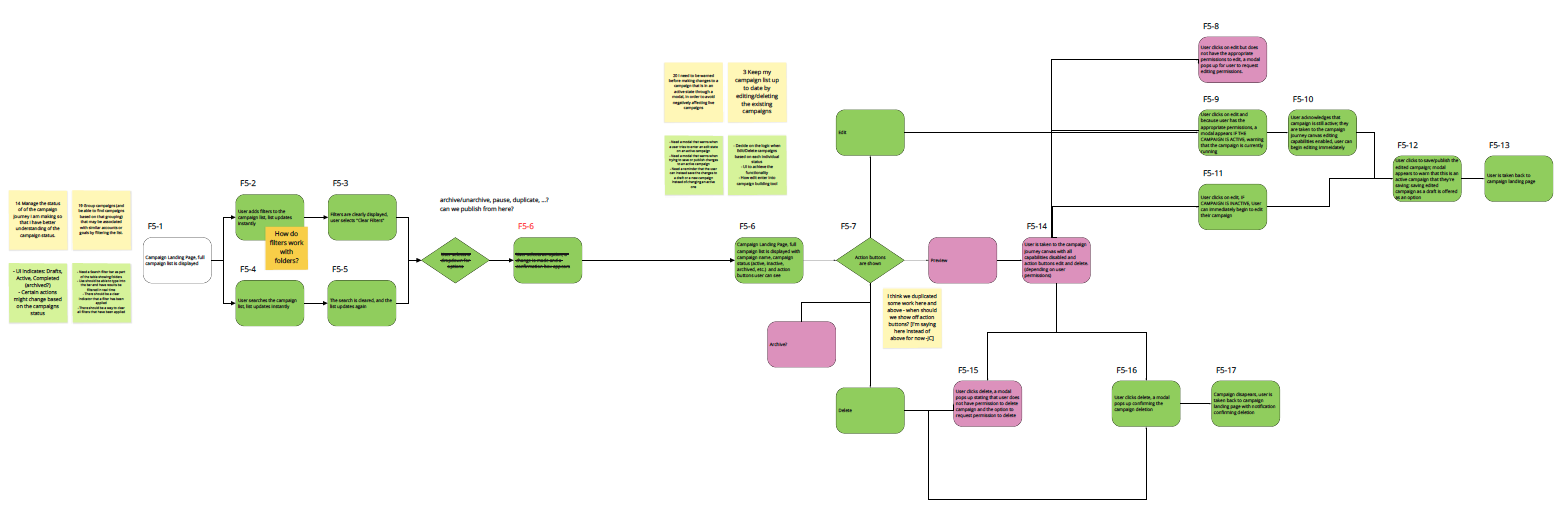
From user stories to user flows
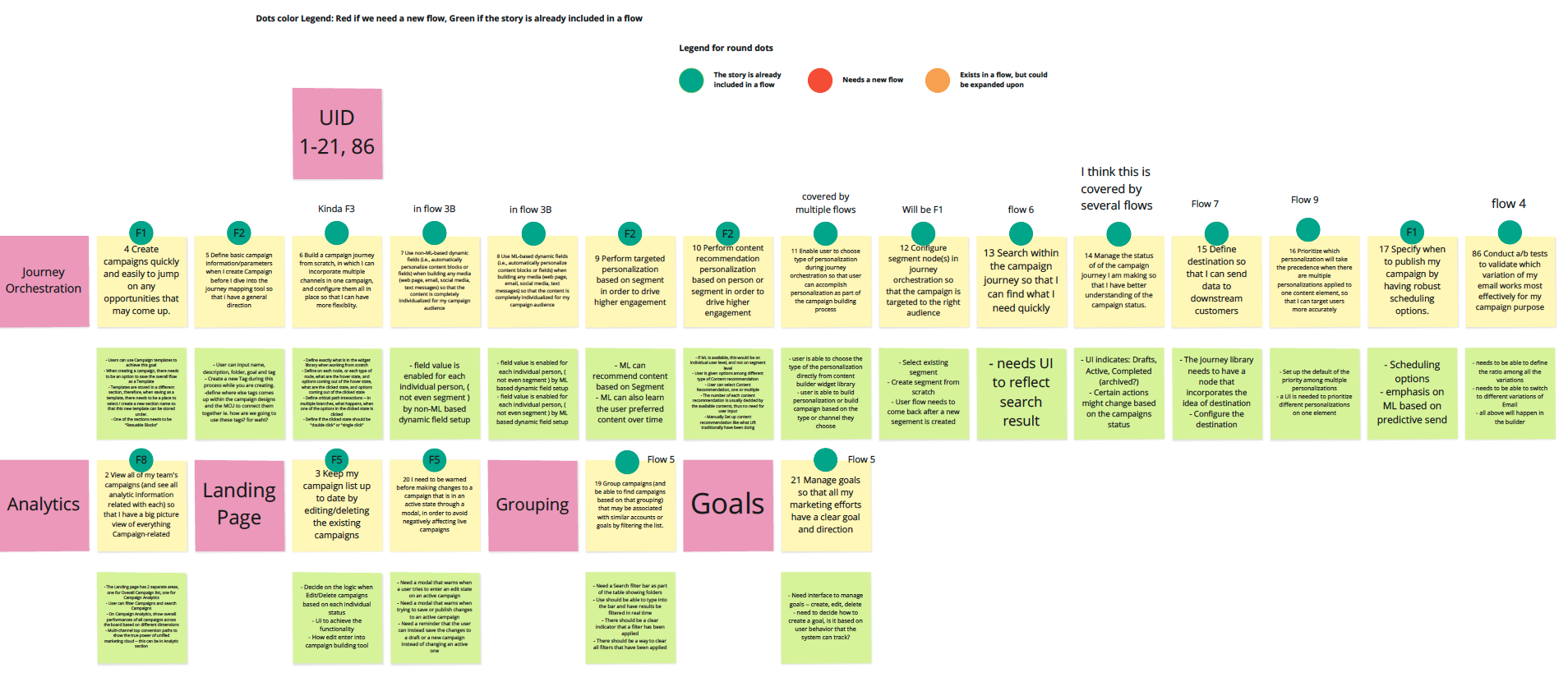
Every story from the inventory went onto a board by area, journey orchestration, analytics, landing page, grouping, goals, and each was marked: already covered by a flow, or needing a new one. Then we created user flows from the stories.
Test
Internal buy-in, then ten users
We tested with the internal teams first for buy-in, then to an external usability test with ten participants. Nine of ten finished the task on their own, and eight of ten said they were very satisfied with how the journey map works.
“Intuitive.”
An external tester
“Really excited about being able to create multi-segment, multi-channel campaigns.”
An external tester
What they told us to fix
- They wanted to organize templates on their own terms.
- Some interactions on the nodes were confusing.
- The nodes needed better categorization.
- Some nodes needed better labels.
Iterate
Before and after
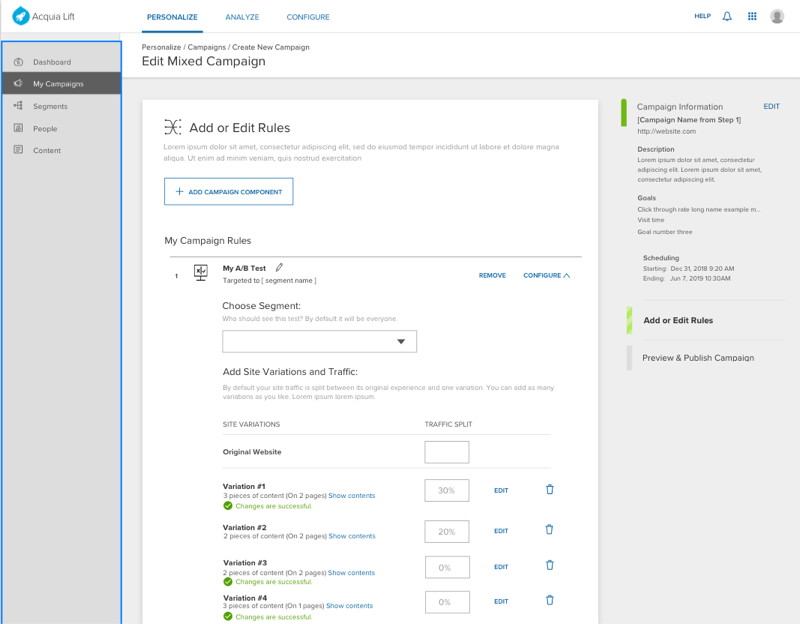
The old flow asked for one segment and one channel in a form. The final design answers the three pain points directly: many segments and many channels on one map, and a campaign that can be reused.
Before
After
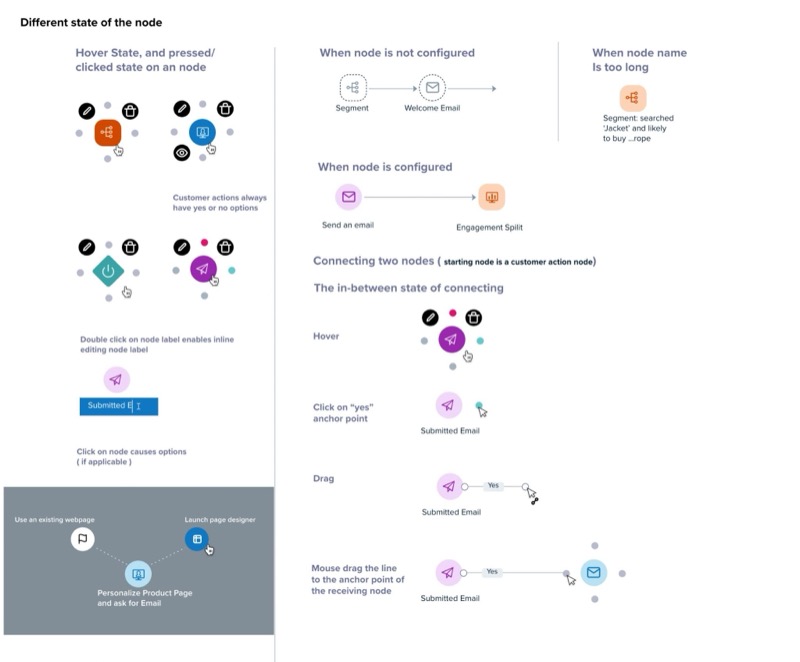
Improved node interaction
The test feedback went straight into the nodes: clearer categories, clearer labels, and interactions that did what people expected.
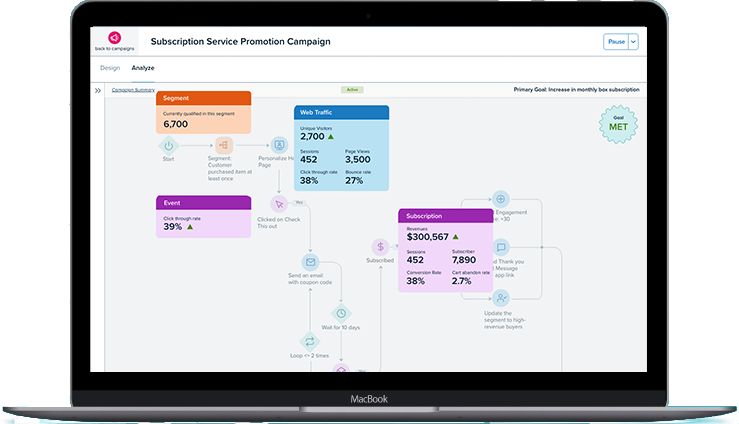
Analytics on the map
Phase three put analytics into the builder itself, so a campaigner reads results on the same map they drew, instead of in a separate report.
Outcome
Nine of ten external testers completed the task on their own, and eight of ten were very satisfied with the journey map.
external testers finished the task on their own
were very satisfied with how the journey map works
Conclusion
Key takeaways
Collaboration is the key
With the product-management seat empty for months, the project held together because design, engineering, machine learning and customer success kept talking to each other, and the design team took on the scoping.
Show, then validate
Customers don’t always know what they want. They had never asked for a journey map; they asked for fewer campaigns. Showing them the idea and testing it is what made it real.
What I’d do differently
I would ship smaller pieces into the existing products sooner. We designed toward the unified suite, and customers on the current products waited for benefit that could have reached them in increments along the way.
Let’s connect
For roles, collaborations, or just to say hi.